DIVID.AI Robo-Advisor
Helps new clients take the first step and existing clients invest more actively.
DIVID.AI Robo-Advisor is white-label software for brokerage companies. Clients see how a plan splits their money and the range of outcomes.
Benefits
Self-service. Consultants help those who ask.
Easier to invest. Clients see how the plan splits their money and the range of possible outcomes.
AI assistant (built on request): explains portfolio results and answers your clients' questions.
Transparent planning. Clients see their plan's steps for each month, not just today.
For your brokerage
White label, always. Your brand everywhere, campaign sites included. We build and integrate it turnkey.
Your products. Tuned to the set of investment products your brokerage offers.
Multi-currency portfolios. Assets and cash in several currencies in one plan.
Integration. Into your website, app and marketing projects.
DIVID.AI provides the software. Any advice to your clients or prospects is given by your brokerage under its licence and local rules (e.g. program accreditation).
Use cases
Three ways a brokerage company can use it
Every step shows who does it: your brokerage, your client or DIVID.AI.
- 1
Marketing project
On your campaign site
- DIVID.AI:
We build a campaign site under your brand where visitors get a starter portfolio by asset class
- Your brokerage:
Your marketing team brings visitors to it through your own channels
- Your brokerage:
A specialist at your brokerage talks to visitors who want to open an account
Helps prospects reach your specialist informed and with a concrete offer from your brokerage.
- DIVID.AI:
- 2
New client
On your website
- Your client:
Comes from your social media ad
- Your client:
Fills in a questionnaire and gets a first portfolio
- Your brokerage:
Your offer to open an account and start investing
Easy entry: the client knows where to start.
- Your client:
- 3
Existing client
In your app
- Your client:
Builds a financial plan for the year
- Your client:
Sees where the investments go and what they may bring
- Your client:
Tops up the brokerage account
All the client's money in one plan, deposits too; the client decides what to invest through you.
- Your client:
Next step: see the Robo-Advisor live
Your clients and campaigns stay yours; we only provide the technology.
How it works
Two plans: simple and detailed
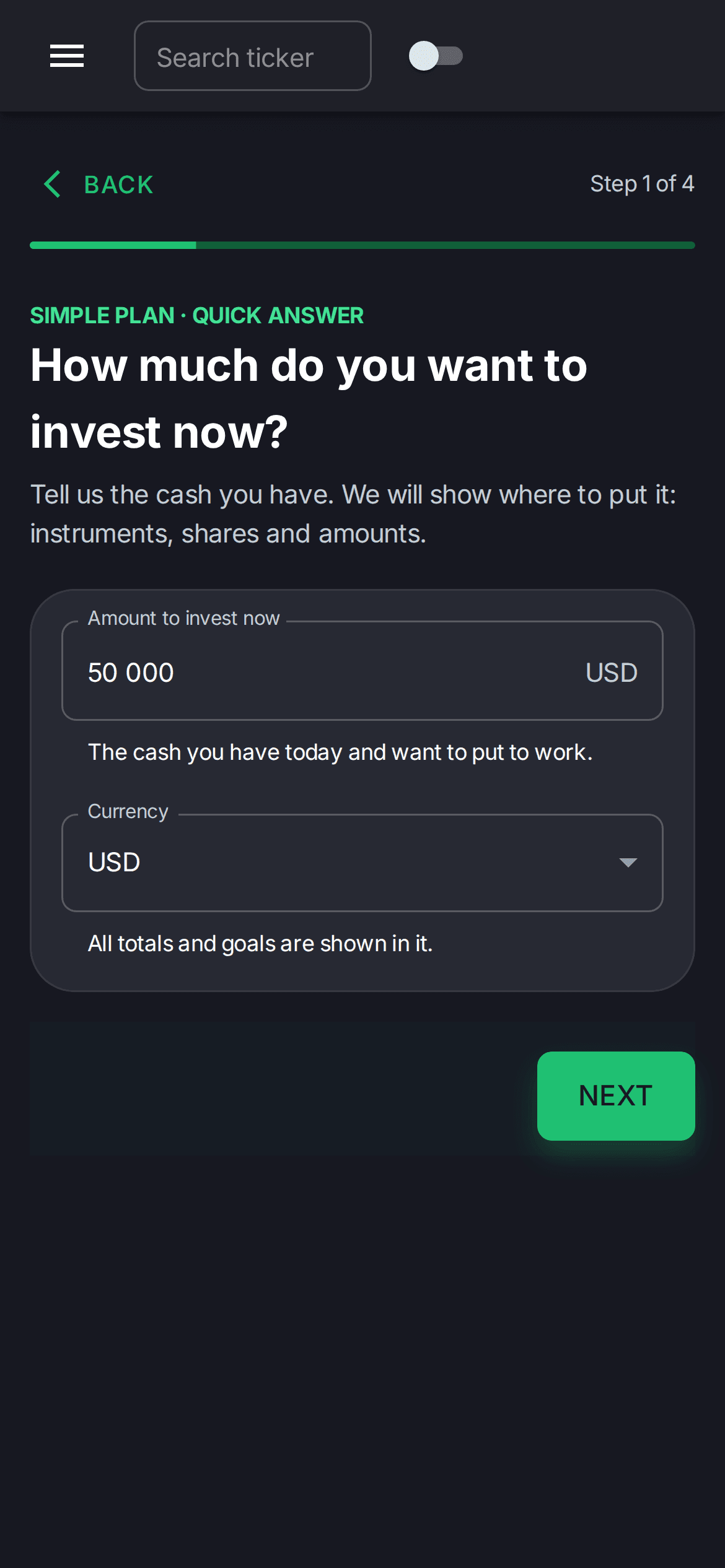
DIVID.AI Robo-Advisor has two plans: a quick answer for cash a client has now, or the full picture with income, spending and goals.
Simple plan
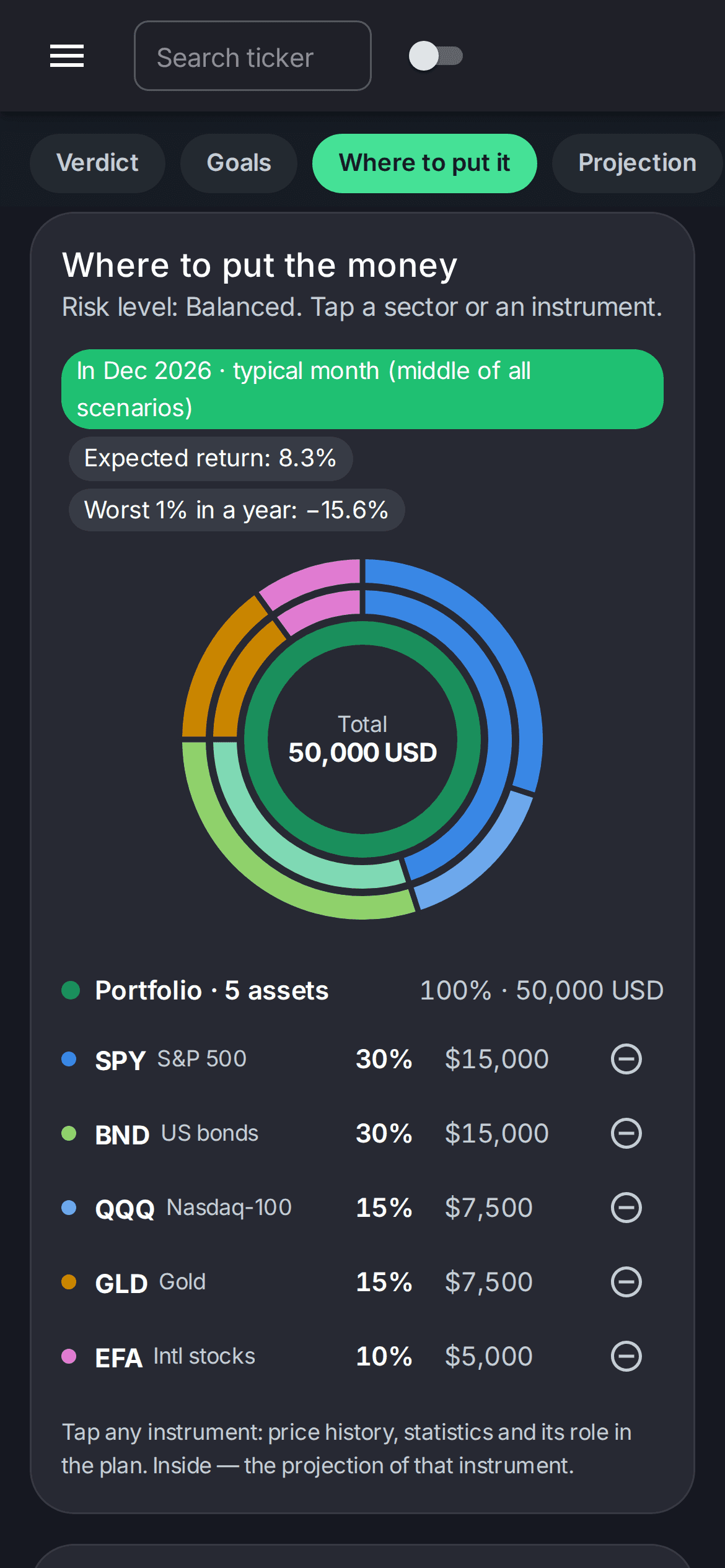
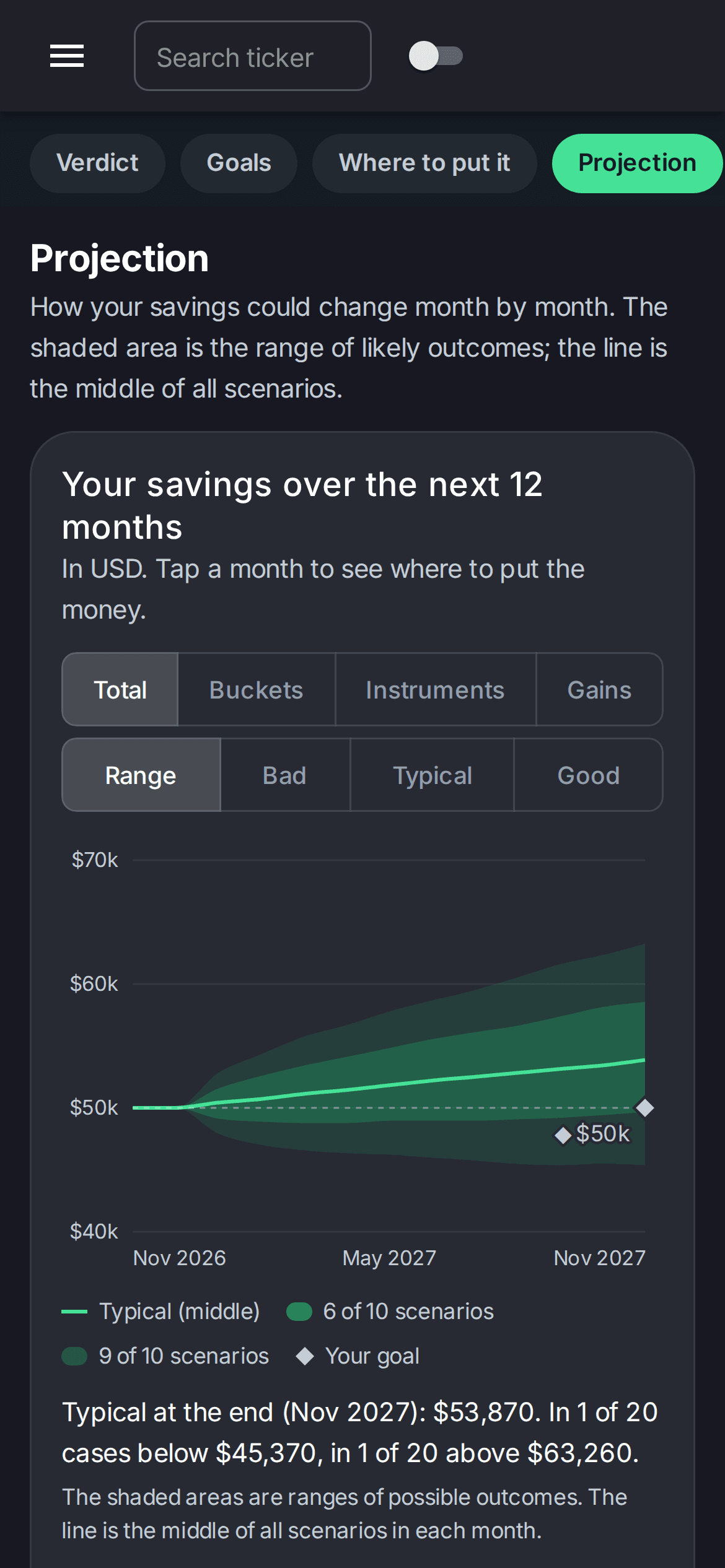
Four questions, then where to put the money and the range of possible outcomes.
Detailed plan
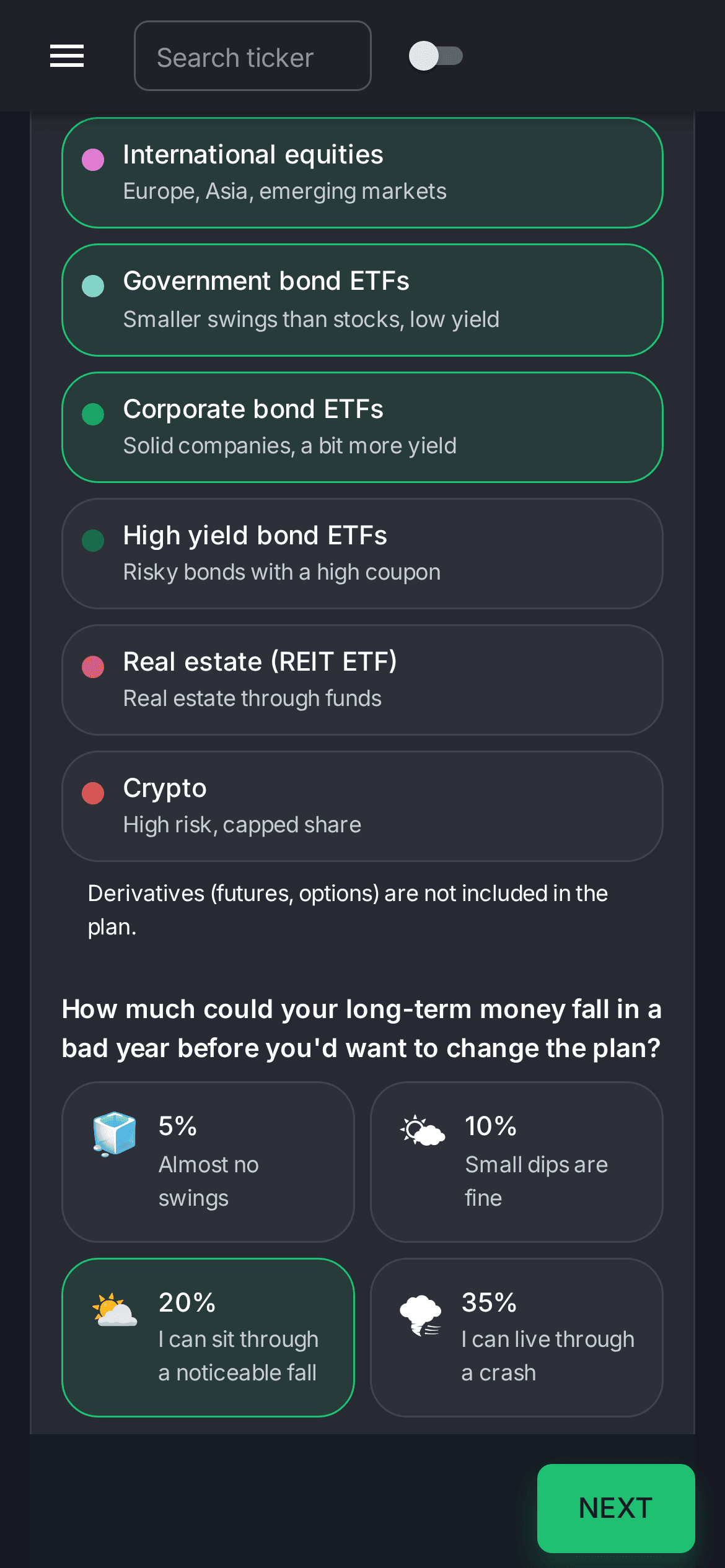
Income, spending, goals and current holdings, then a plan for every month.
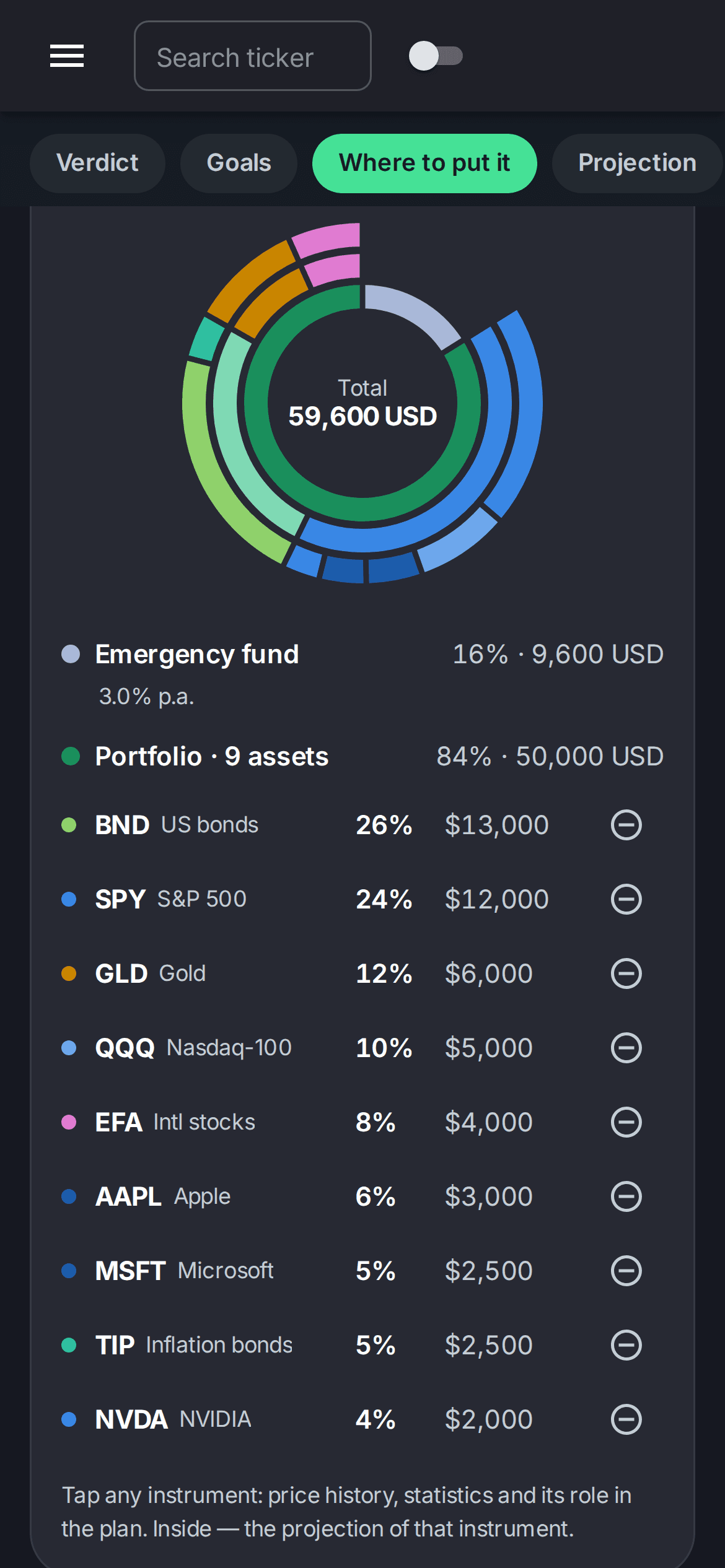
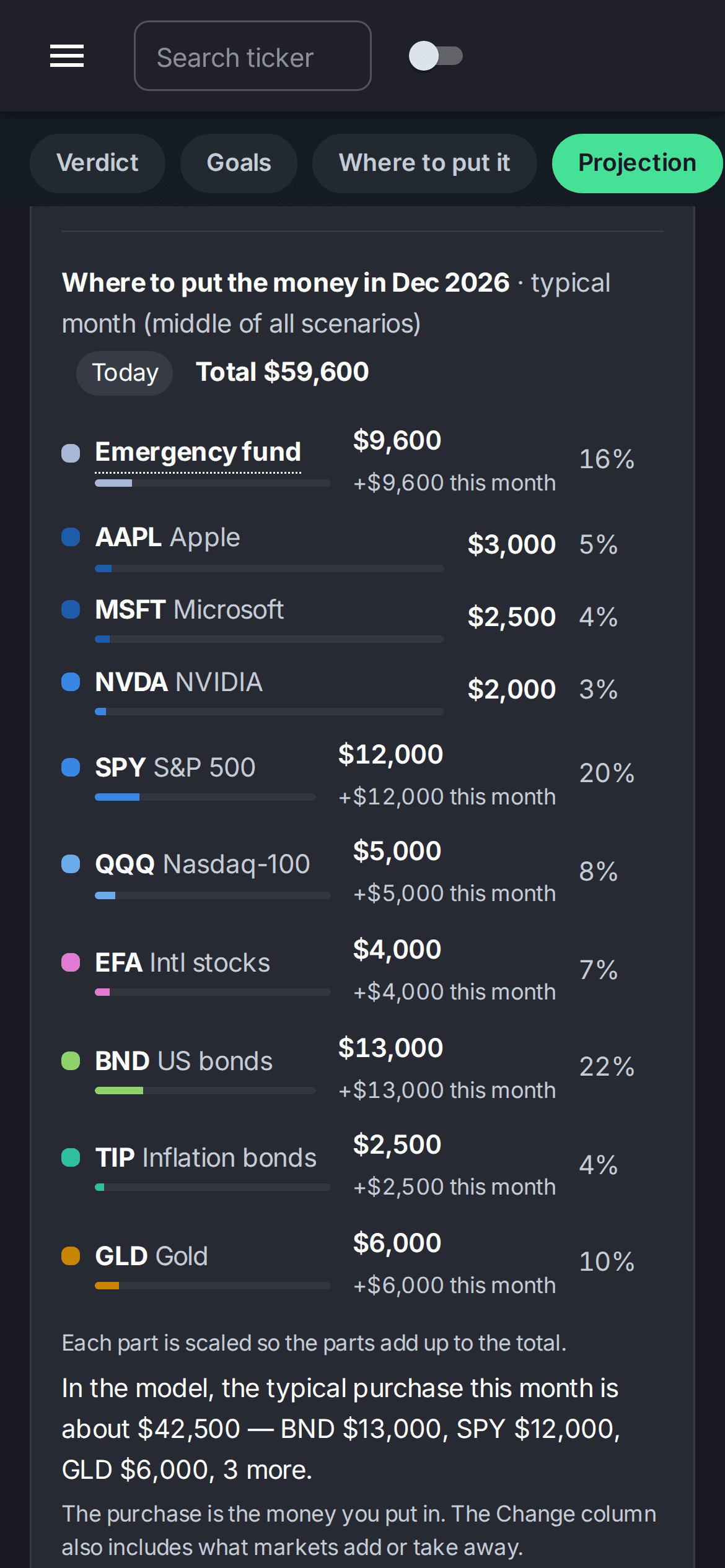
What the detailed plan adds
Deposit plan
Where the money for each planned spend waits, and why each deposit has its term.
Monthly investment plan
Where new money goes in every month of the plan, not just today's split.
Multi-currency
Cash, deposits and goals in different currencies, in one plan.
More settings in the detailed plan
- Income and spending
- Goals with dates
- Current holdings
- Emergency fund
- The client's market view
- Number of assets
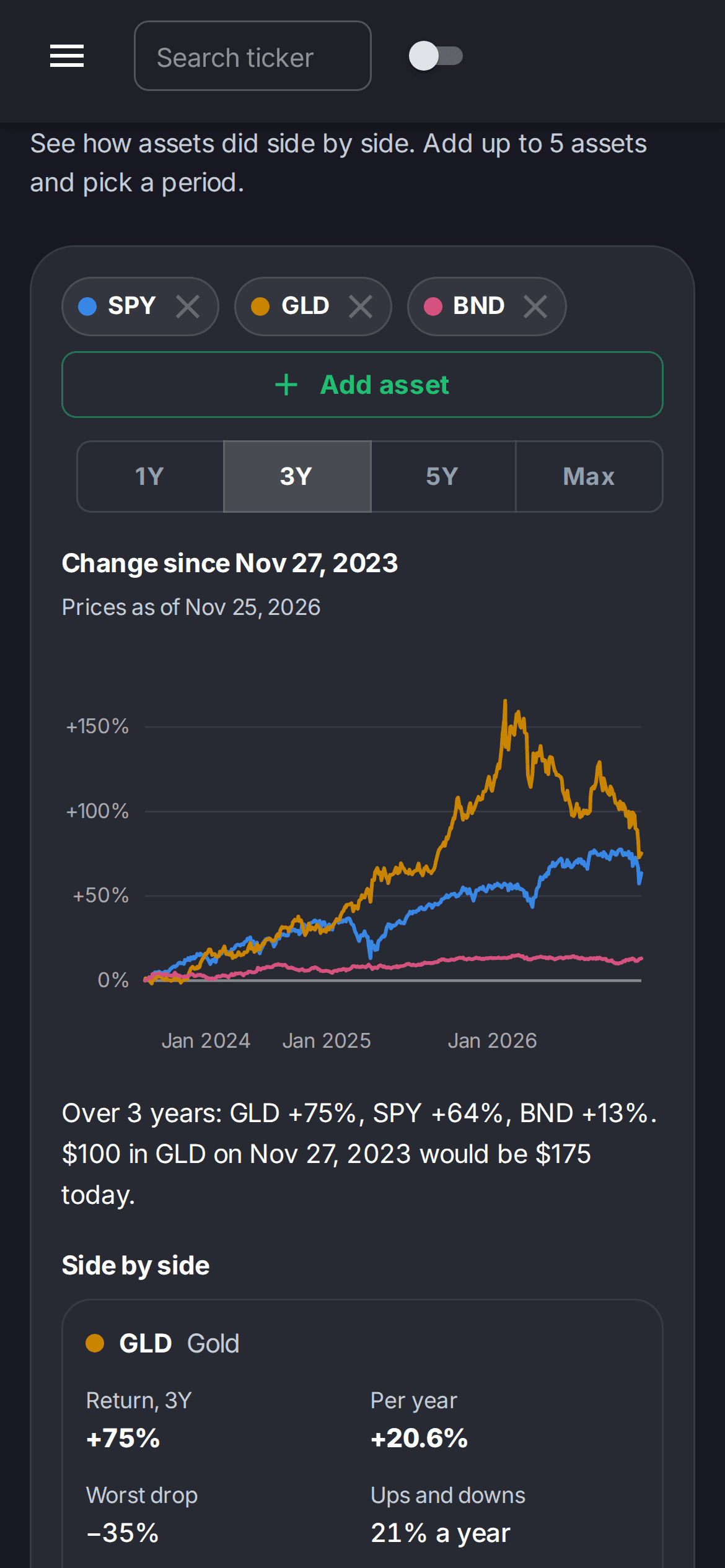
Asset comparison
Clients compare assets on their own
Clients add up to five assets, pick a period and see how they did side by side.
- Returns on one chart
- Periods of 1, 3 or 5 years, or the full history
- Return, worst drop and price swings in one table
Talk to the founder
Thirty minutes: a live demo, your use case and your questions.

Our screens show example data in USD. Company and fund names only identify them; DIVID.AI is not affiliated with or endorsed by their owners.