workspace.divid.ai
Portfolio Adviser Workspace
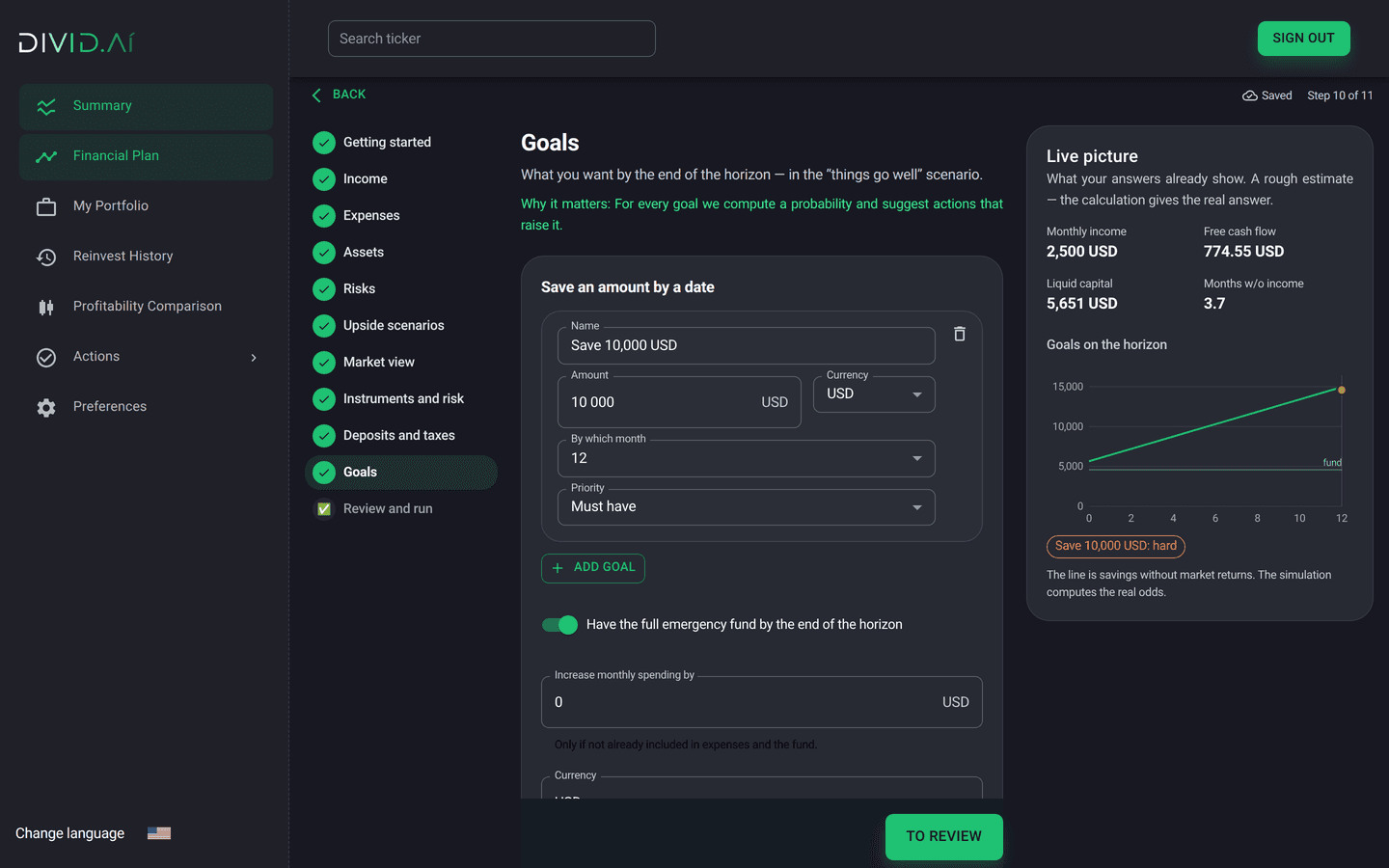
White-label financial planning for your brokerage app. Workspace interviews the client, simulates thousands of market paths and returns a plan they can act on: goal probabilities, an emergency fund, deposits and taxes, a portfolio optimised under a risk limit, and the levers that change the outcome. Then it explains the plan in the client's language.
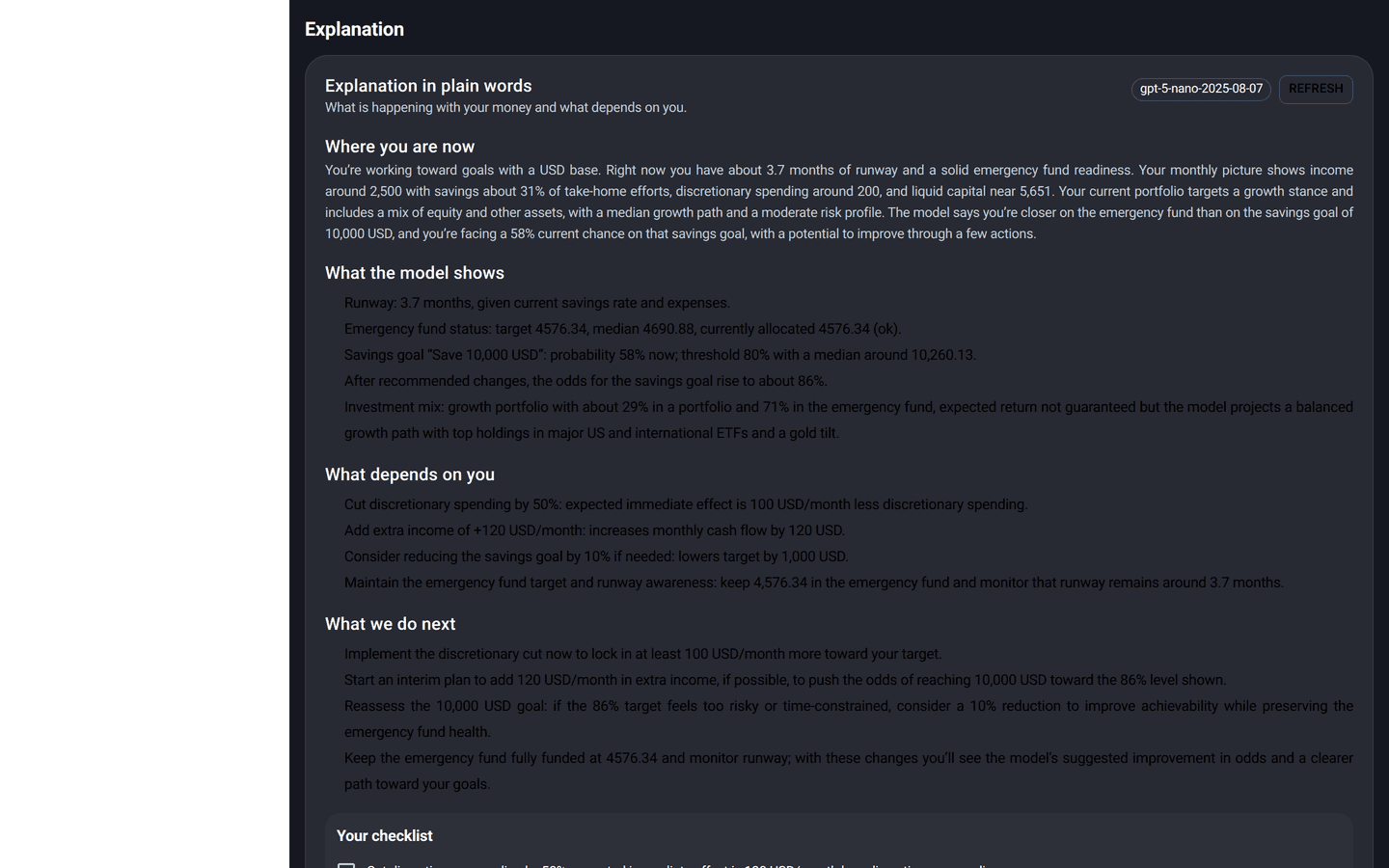
Portfolio Adviser Workspace is a white-label financial-planning module from DIVID.AI that brokerages embed in their client app. It interviews the client in eleven steps, simulates thousands of market scenarios, and returns goal probabilities, an emergency fund, a risk-limited portfolio and what-if levers, explained by AI in English, Bahasa Indonesia or Russian. A full plan takes 3–9 seconds.
Online brokers
Turn a trading app into an advisory app without hiring advisers.
Investment apps and neobanks
Offer planning as a feature; keep the client inside your product.
Asset managers with a retail channel
Let clients see why the recommended allocation fits their goal.
How it works
Eleven steps: currency and horizon, income, mandatory and discretionary spending, capital and holdings, emergency fund, deposit rates, goals, risk attitude, market views, review.
Thousands of market paths rebuilt from real historical price moves (block bootstrap), converted across currencies, adjusted for the client's market views and tested on past crisis periods.
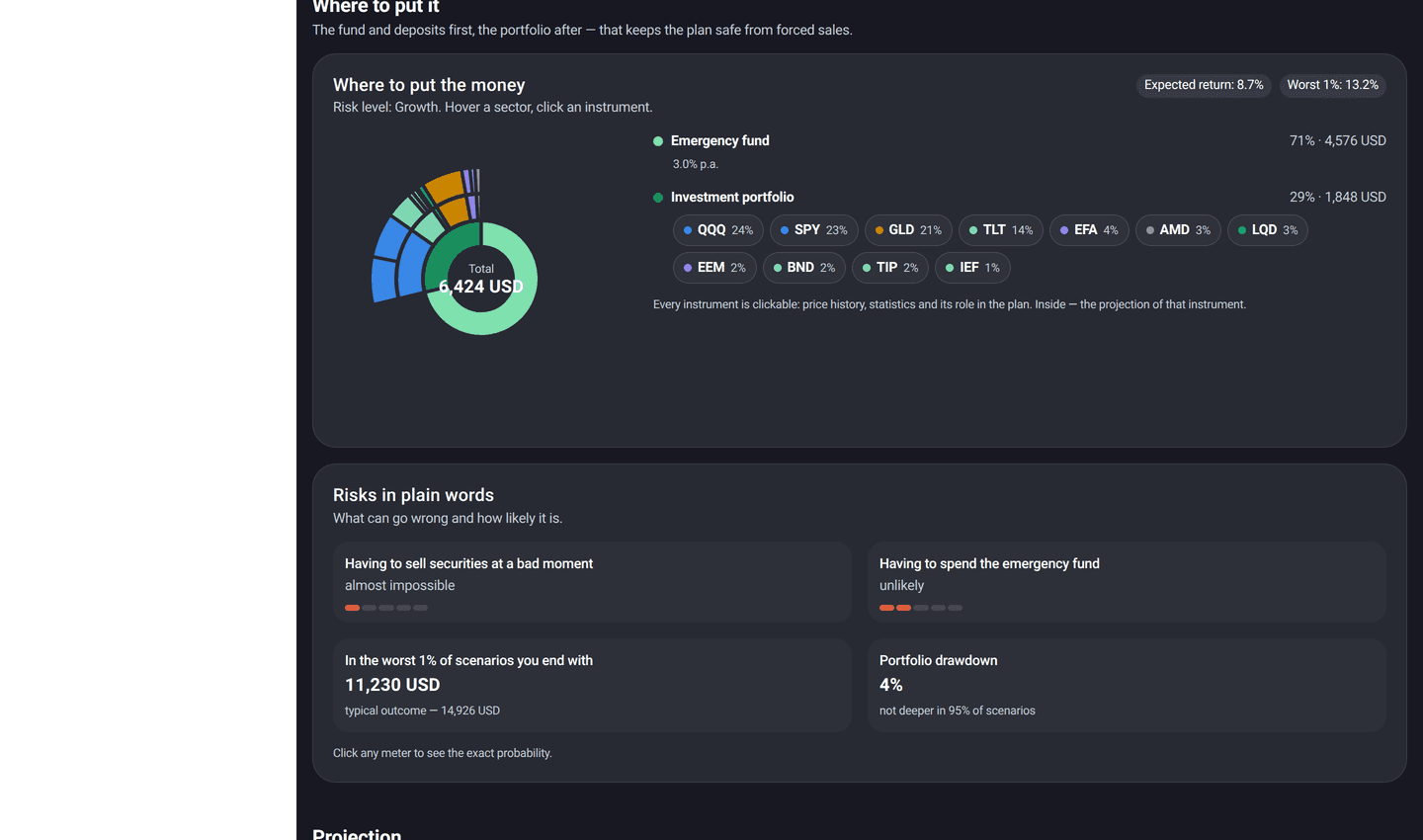
Three risk levels. Weights keep the likely worst-case loss (value-at-risk) within a limit, with caps per asset class. If no mix fits, the plan falls back to the lowest-risk portfolio.
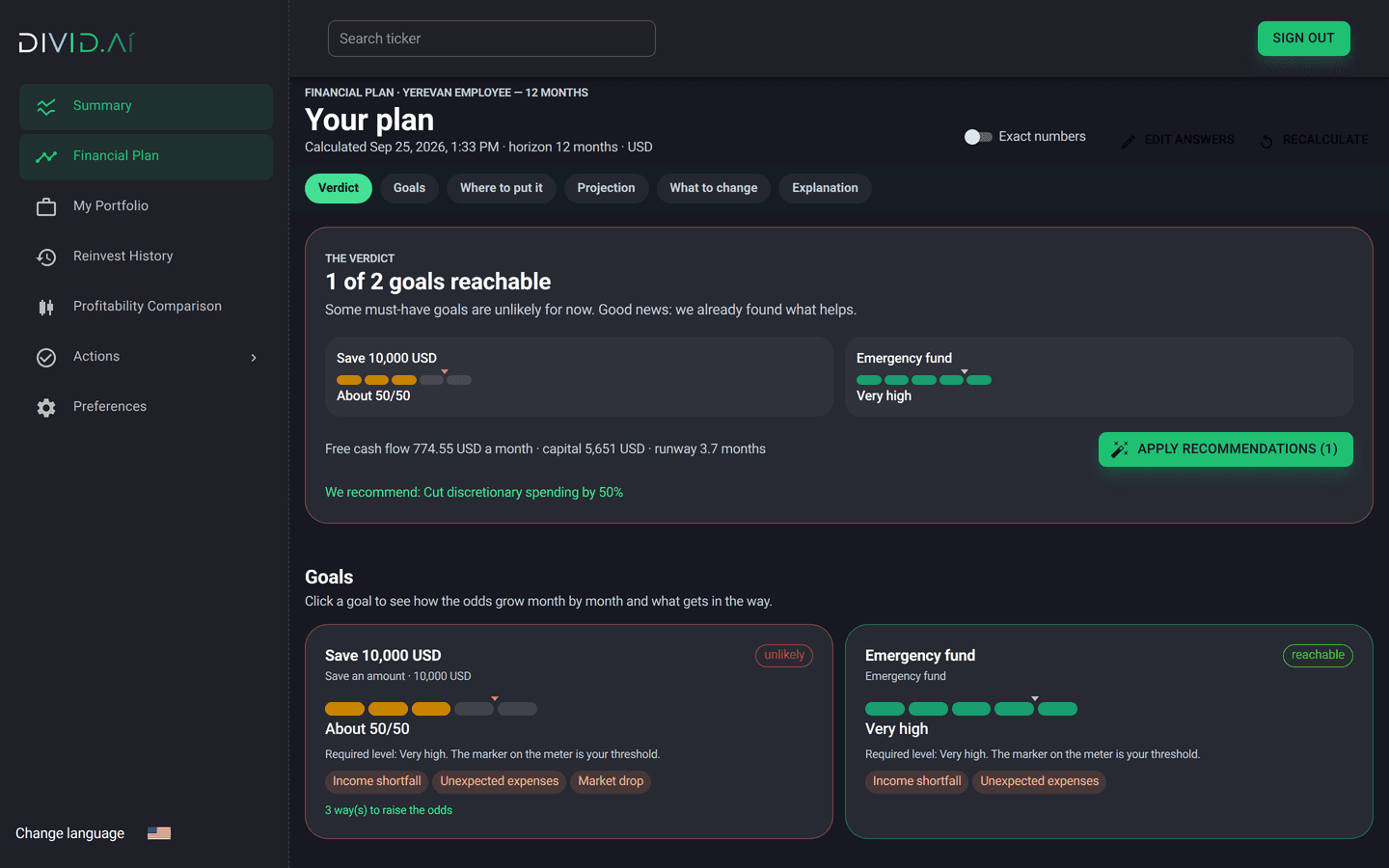
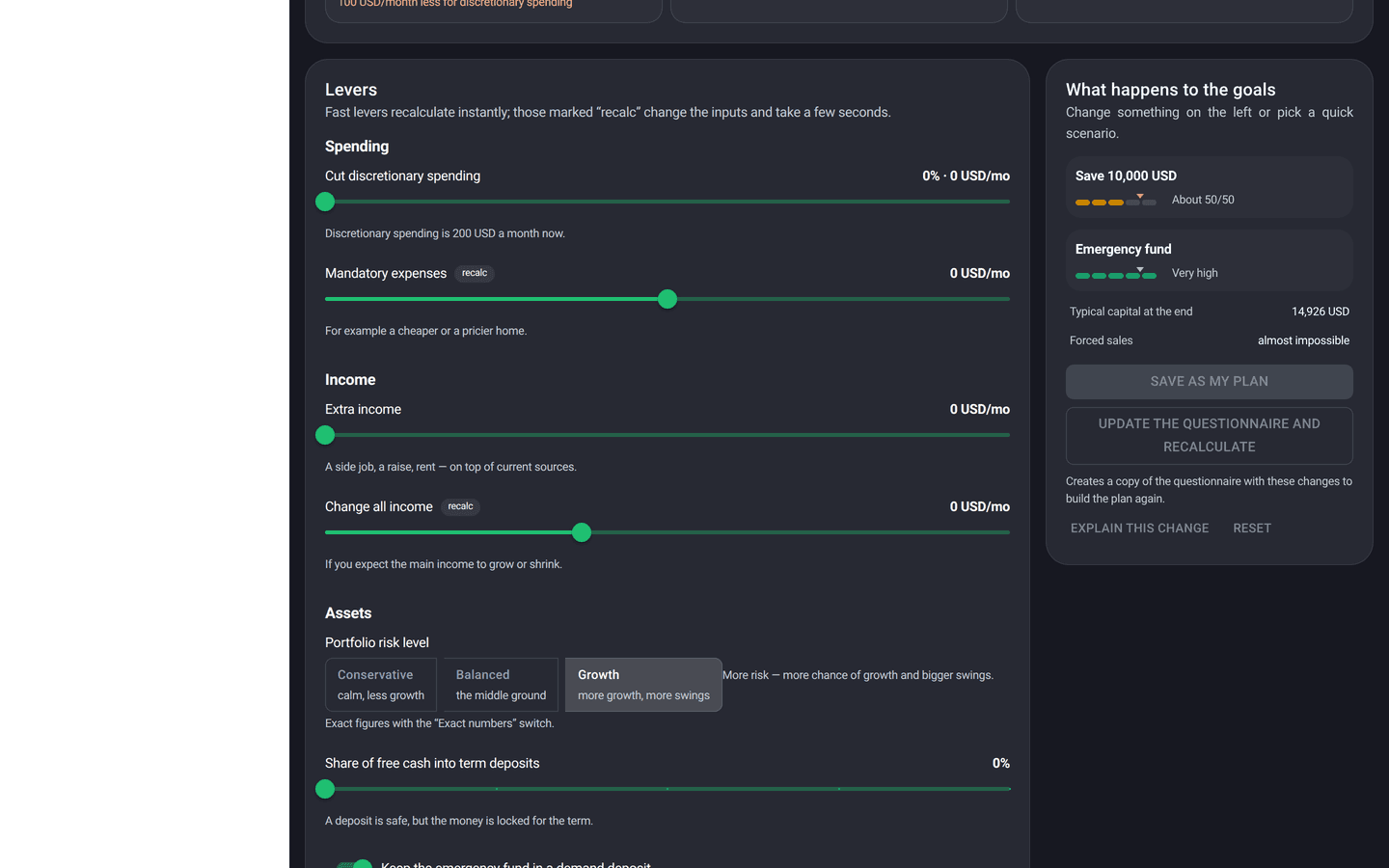
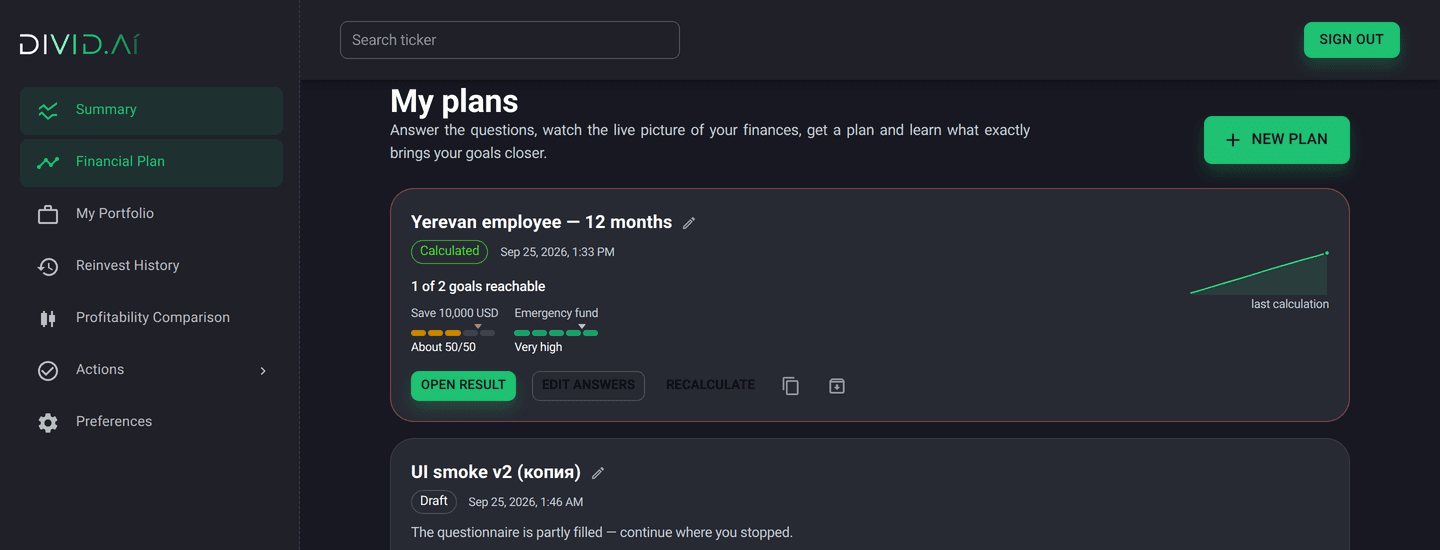
Probability for each goal against its threshold. Levers: cut discretionary spending, add income, deposit share, risk level, relax the goal.
A language model turns the facts of the plan into a four-part explanation and a checklist, never inventing a figure.
What you get
Goal probabilities
Target amount, emergency fund, extra spending or portfolio return, each with a probability and a status.
Cash-flow realism
Monthly income, inflation by currency, deposits at term and on demand, taxes, unexpected expenses.
Risk you can see
Likely worst-case loss (value-at-risk), wealth in the worst 1 % of scenarios, the chance of having to sell to cover spending, and the deepest fall.
What-if in seconds
Move a lever and re-simulate; adopt the recommended plan in one click.
Portfolio tools and alerts
Audit an existing portfolio, rebalance to increase profitability, favourite and black-listed stocks, weekly risk alerts with rebalance advice.
Three languages
Interface and explanations in English, Bahasa Indonesia and Russian; currencies including USD, IDR, RUB, AMD.
Screens
Facts, not promises
Integration
Your brand, your universe of instruments, your risk policy.
Plan request in, plan result out: JSON contracts for interview schema, run, what-if and explanation.
Hosted workspace with your SSO.
FAQ
It produces a plan and explains it. Whether that is "advice" depends on your licence and your configuration; we ship it as decision support with your disclaimer.
Daily prices and FX from our data storage; deposit rates and inflation by currency; the client's answers. No personal data leaves your perimeter in the on-premise option.
Yes: allowed classes, caps per class, excluded tickers, a core list of approved instruments.
A hosted pilot starts in days; white-label integration is a project measured in weeks.